
Instant AI fitting room
Live Virtual Try-On
Anyware is a live virtual try-on for your own photo: upload a picture of yourself and a top, dress or outerwear piece, and see it on you in seconds, before you place an order.
Real-time camera try-on is coming soon.
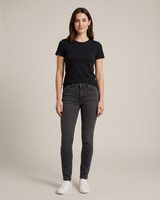 Before
Your photo
Garment
Result
Your try-on will appear here.
Your photos are only used to create your try-on. Privacy Policy
Benefits
Why use a live virtual try-on before you buy
See it on you now
Check the color, pattern and cut of a garment on your own figure in seconds, before checkout rather than after delivery.
Your photo stays yours
The AI is instructed to keep your face, hairstyle, pose and background, and to change only the clothing.
Works with any store
Use a product image of a top, dress or outerwear piece from any online shop, a photo of an item you already own, or one of our sample garments.
How it works
How live virtual try-on works
- 01
Upload your photo
A clear, well-lit, front-facing photo, half or full body. JPG, PNG or WebP up to 10 MB.
- 02
Add one garment
Upload a product photo of a single top, dress or jacket, ideally on a plain background, or choose a sample.
- 03
See it on you, then download
Your result appears in seconds as a free watermarked preview. Unlock the full-resolution, watermark-free image for 1 credit.
FAQ
Live virtual try-on FAQ
What is a live virtual try-on?
A live virtual try-on shows you wearing a garment right away, instead of after it arrives. With Anyware, you upload a photo of yourself and a clothing image, and the AI returns an image of you wearing it in seconds, with folds, lighting and fit adapted to your pose.
Does it use my camera in real time?
Not yet. Today Anyware works from a photo: you upload a picture and a garment, and the result appears on the page in seconds. A real-time camera mode is coming soon.
Is the live virtual try-on free?
Signed-in users receive 3 watermarked previews per day at no cost. A full-resolution image without a watermark costs 1 credit, and new accounts receive welcome credits. Once the day's free previews are used, further try-ons use credits.
What photos give the best result?
Use a sharp, front-facing photo with good light and your body clearly visible. For the garment, a product photo of one item on a plain background gives the most accurate result.
Can it tell me which size to order?
No. The result is a visual preview of how a garment may look on you, not a sizing tool. Always check the retailer's size chart.
How fast is the result?
Most try-ons are ready in 20 to 60 seconds, while you stay on the page.
What happens if a try-on fails?
If a generation fails, any credits charged for it are refunded automatically, and you can try again.
What happens to my photos?
Your photos are used only to generate your try-on. Uploaded inputs are stored temporarily by our AI provider and deleted automatically after a few days. See our Privacy Policy for details.
More ways to try on clothes
Ready to see it on you?
Start your try-on